
Automatic, transparent, always available
Automatic charge reports with NRGkick
The NRGkick’s automatic charge reports not only help you track all your charging costs, but are also ideal for record-keeping. Do you have a company car, for example, and also charge at home and on the road? Then use the charge reports to easily get the amount charged reimbursed.
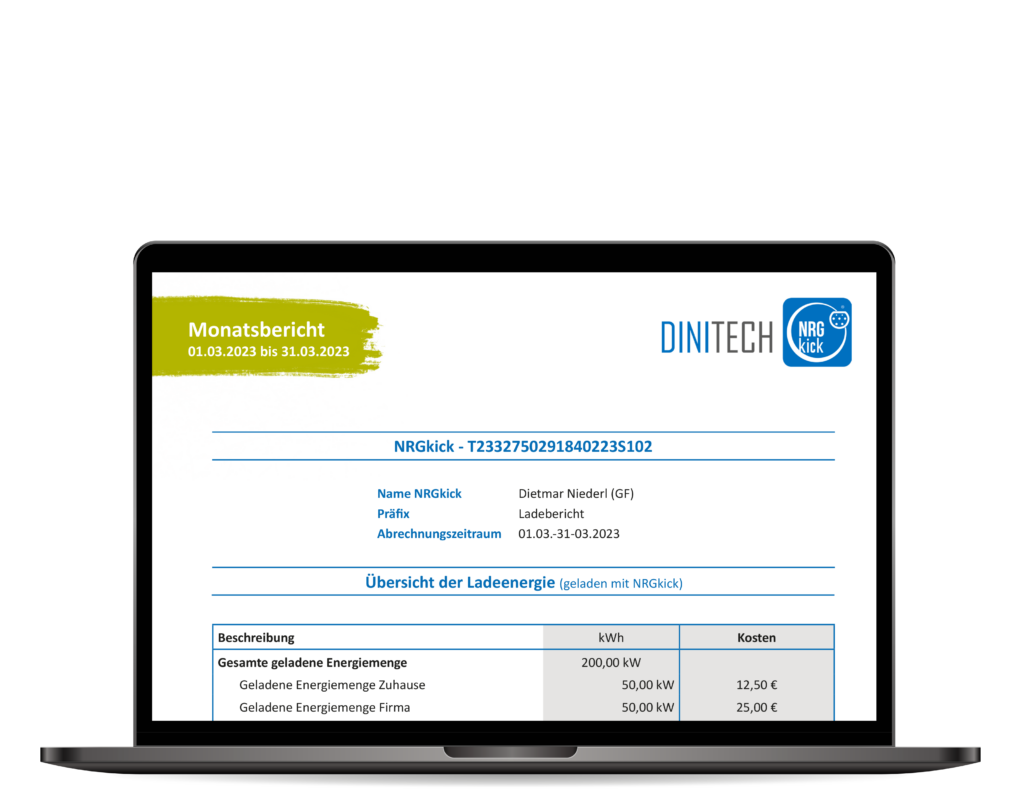
How do automatic charge reports work?
When you charge your electric car with the NRGkick, the NRGkick collects all important data — for example the charging time and the amount of energy charged. NRGkick charge reports are essentially a log of your charging sessions. The data is stored on the NRGkick and transferred to the cloud as soon as an internet connection is established. From then on, it is available via the NRGkick app and can be retrieved as a charge report.
Some load report features
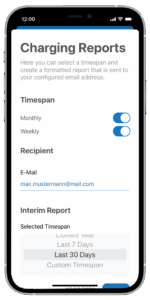
How do I generate a charge report via the app?
Charge reports can be requested free of charge at any time via the NRGkick app. Choose the desired period and the email address to which the report should be sent — for example the current/previous week or month, last 7 or 30 days, or the current year. You can also set up automatic weekly and/or monthly delivery.
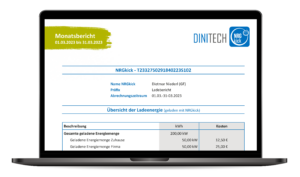
What data is on a charge report?
The report contains a wide range of information: the number of kWh charged, the times of each charging session, the share of renewable energy, and — if the NRGkick was connected via WiFi while charging — also the charging location. Graphical overviews also give you an instant insight into your charging behaviour.
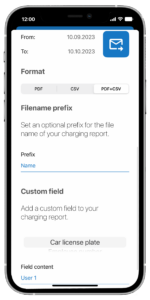
Personalise it your way
To make invoicing even easier, you can add your own custom-defined fields to the reports — for example the licence plate of a company car or an employee number. You can also name reports individually with your own file name prefix, making documents easier to tell apart.
Everything you need to know about charge reports
From available periods to linking with your fleet management.
Tel. +32 11 81 82 18